Ruined Portal Finder
Bedrock 1.21 – 26.52 · Java 1.20 – 26.3About the Ruined Portal Finder
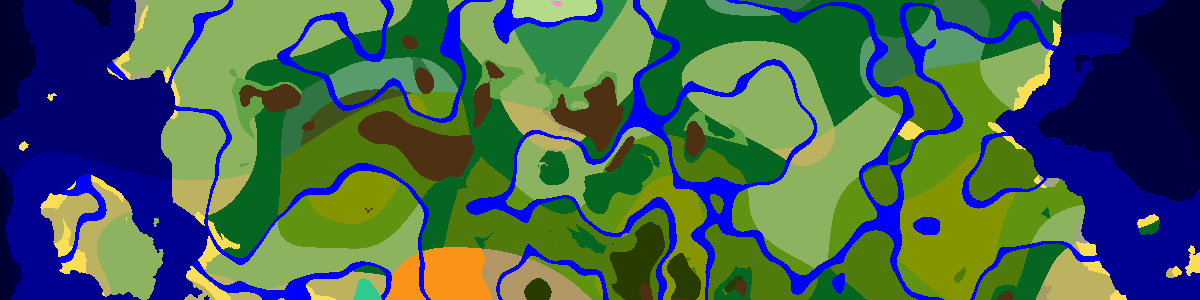
A ruined portal near spawn is the quickest way into the Nether without a diamond pickaxe. Paste the seed, set the version, and the map marks each broken portal around you. Twelve appear in the list below, nearest first; click a row to zoom to it and see whether it landed on plains, in a desert, in a jungle or out at sea.
Nearly one in every region
Ruined portals get one spot per 40×40-chunk region (640×640 blocks), somewhere in the first 25 chunks of each axis, so two of them are always at least 15 chunks apart. Unlike most structures they have no biome requirement: the biome only chooses the style. That makes them dependable. Almost every region has one, failing only in rare spots where the chosen height falls into a cave biome that does not allow it.
Styles, buried frames and giants
In the Overworld the biome picks one of six styles: desert, jungle, swamp (mangrove swamps included), ocean, mountain, and a standard style for everything else; the Nether has a seventh. Standard and mountain portals are buried half the time, so the frame can sit underground beside a patch of netherrack. About one portal in twenty is a giant version with a much larger frame. Netherrack and magma spread around the base, and some portals have a block of gold set among them.
The chest beside the frame usually holds gold tools or armor, obsidian, flint and steel or a fire charge, sometimes a golden apple and, rarely, an enchanted golden apple.
Fixing the frame for a fast Nether trip
Most frames are missing some obsidian, and crying obsidian in the frame does not count, so it has to be replaced. You need a complete 4×5 frame, corners optional. If you lack obsidian, cast the missing blocks in place by setting lava in a mold and pouring water over it. Note the Overworld coordinates before you light it: the Nether side opens near X/8, Z/8, and the nether fortress finder shows what is close to that point.
Frequently asked questions
What is the /locate command for ruined portals?
In Java, /locate structure #minecraft:ruined_portal finds the nearest one of any style. Single styles can be located by ID too, for example minecraft:ruined_portal_desert or minecraft:ruined_portal_ocean.
Does this page show the Nether ruined portals?
No, it maps the Overworld ones only. The Nether has its own ruined portals, placed separately with the same 40-chunk spacing in current versions.
Want a world that already has one close to spawn? Browse the Ruined Portal seeds in the seed library.
Latest seeds
all seeds →More apps
all apps → Village Finder
 Stronghold Finder
 Ocean Monument Finder
 Woodland Mansion Finder
 Ancient City Finder
 Trial Chamber Finder
 Pillager Outpost Finder
 Desert Temple Finder
 Jungle Temple Finder
 Igloo Finder
 Shipwreck Finder
 Buried Treasure Finder
 Ocean Ruins Finder
 Swamp Hut Finder
 Mineshaft Finder
 Nether Fortress Finder
 End City Finder